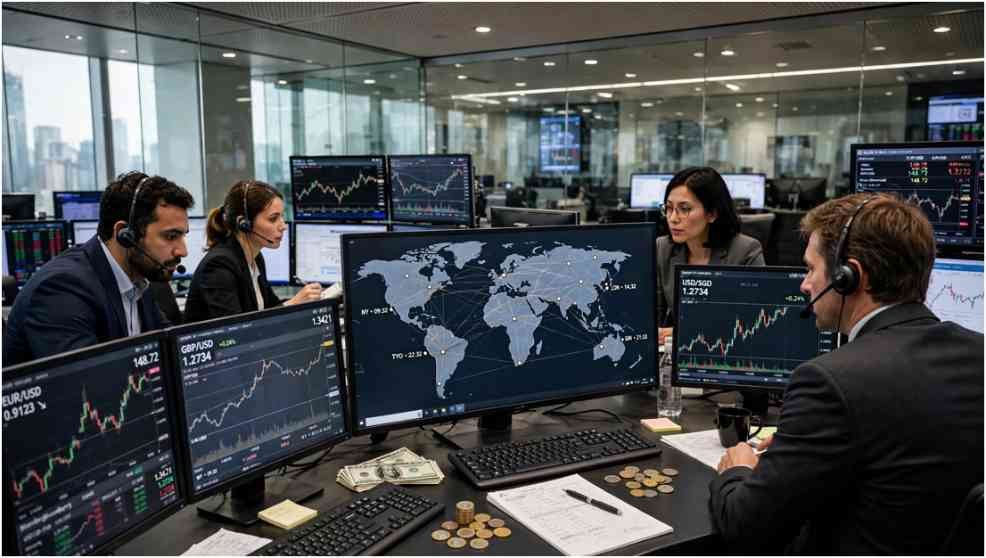

Spending hours analyzing candlestick patterns, tracking currency pairs, and watching price movements can leave my eyes feeling exhausted. I have noticed that constant screen exposure becomes particularly uncomfortable when charts are crowded, monitors are too bright, or trading sessions extend late into the evening.
Understanding how to prevent eye strain while trading forex helps me make my trading environment more comfortable without losing track of important market developments.
Instead of relying on expensive equipment, I focus on practical adjustments involving chart colors, monitor positioning, lighting, blinking, and scheduled breaks. These nine strategies can help traders reduce digital eye strain while maintaining an organized trading routine.
Why Does Forex Trading Cause Eye Strain and Headaches?
Forex trading demands continuous visual concentration. Traders examine small price fluctuations, technical indicators, and rapidly changing candlesticks, sometimes across several monitors.
This sustained screen exposure can contribute to computer vision syndrome, also called digital eye strain.
Common symptoms include dry eyes, headaches, blurred vision, burning sensations, and difficulty focusing.
According to the American Optometric Association, prolonged computer use, poor lighting, glare, and improper viewing distances can contribute to these symptoms.
Reduced blinking during intense concentration also increases the likelihood of eye dryness.
1. How Can Traders Adjust Forex Chart Colors to Reduce Eye Strain?
I begin by optimizing chart aesthetics rather than accepting every default trading-platform setting.
Extremely bright candlestick colors can feel uncomfortable, particularly when I monitor charts for extended periods.
Which Forex Chart Colors Are Most Comfortable?

I experiment with muted green, dark maroon, slate gray, and other distinguishable colors instead of highly saturated neon shades.
In TradingView or MetaTrader 5, I also reduce unnecessary gridlines and background patterns.
Increasing grid transparency or removing distracting lines makes important price levels easier to identify.
I prefer a charcoal or off-black background when trading in dim environments, but I choose whichever theme provides comfortable readability.
Dark mode is a personal comfort preference, not a medically proven solution for every trader.
2. What Is the Best Monitor Height and Distance for Forex Trading?
Proper screen positioning is essential for an eye-friendly trading setup.
I keep my primary monitor approximately 20–30 inches away, adjusting the distance according to screen size and readability.
I position the screen’s top edge at or slightly below eye level so my gaze naturally angles downward.
This arrangement can improve viewing comfort and reduce unnecessary neck movement.
How Can Display Scaling Improve Chart Readability?
When chart labels appear too small, I increase display scaling in Windows settings or adjust the operating system’s display options.
I also enlarge price labels and trading-platform fonts rather than leaning closer to the screen.
For multiple monitors, I position my primary trading chart directly ahead and arrange secondary screens nearby.
3. How Can the 20-20-20 Rule Prevent Forex Trading Eye Fatigue?
One simple habit I follow is the 20-20-20 rule.
Every 20 minutes, I look approximately 20 feet away for at least 20 seconds.
This gives my eyes a brief opportunity to relax from continuous near-screen focusing.
I use silent desktop reminders and occasionally coordinate breaks with scheduled candle closes.
For longer sessions, I also take additional breaks to walk, stretch, and rest away from digital devices.
When discussing how to prevent eye strain while trading forex, I consider consistent screen breaks more useful than expecting a single monitor accessory to solve every problem.
4. How Can Traders Reduce Monitor Glare and Improve Workspace Lighting?
Poor lighting can make forex trading monitors uncomfortable even when the charts are clearly organized.
I avoid placing my desk directly facing a bright window or positioning a window immediately behind my monitors.
Instead, I arrange screens perpendicular to natural light sources whenever possible.
This reduces reflections and excessive brightness differences.
Are Monitor Light Bars Useful for Trading Desks?
A properly positioned monitor light bar can illuminate the desk without shining directly onto the display.
I prefer adjustable lighting that complements the surrounding room rather than creating harsh contrasts.
During evening trading sessions, I maintain soft ambient lighting instead of sitting in complete darkness.
5. How Can Forex Traders Prevent Dry Eyes During Long Sessions?

When concentrating on important market movements, I sometimes forget to blink regularly.
Reduced blinking can interfere with the tear film and contribute to dryness, irritation, and blurred vision.
I consciously blink fully, particularly during demanding market sessions.
I also avoid directing air-conditioning vents or fans toward my face.
Preservative-free artificial tears may help relieve occasional dryness, although persistent symptoms should be assessed by an eye-care professional.
The Mayo Clinic recommends blinking regularly and adjusting environmental conditions to manage screen-related eye discomfort.
6. Do Blue-Light Filters Help Reduce Eye Strain While Trading?
Many traders use blue-light filters or specialized glasses to improve screen comfort.
I occasionally enable Windows Night Light or macOS Night Shift during evening sessions to create a warmer display appearance.
However, these settings are optional comfort adjustments rather than proven treatments for digital eye strain.
The American Academy of Ophthalmology does not recommend blue-light-blocking glasses as a proven solution for computer-related eye strain.
I prioritize comfortable brightness, clear text, regular blinking, and proper viewing distances instead.
7. Can Forex Price Alerts Reduce Unnecessary Screen Time?
Price alerts help me limit unnecessary chart monitoring.
For example, when analyzing EUR/USD, I identify relevant support and resistance levels before configuring alerts in my trading platform.
Instead of watching every small movement, I can review the market when prices approach an important area.
This approach is particularly useful for swing traders who analyze four-hour or daily charts.
However, alerts can be delayed or missed, so I never substitute them for appropriate stop-loss planning and position sizing.
Using a position sizing calculator can help traders determine appropriate trade sizes based on their risk limits and stop-loss distances.
Understanding how to use stop-loss orders in forex trading can help traders manage downside risk while using price alerts to reduce unnecessary chart monitoring.
8. How Should Traders Organize Multiple Charts to Reduce Visual Fatigue?
I prefer displaying only the currency pairs and indicators necessary for my trading strategy.
For example, traders using a moving average crossover strategy can focus on the relevant moving averages without overcrowding their charts with unnecessary indicators.
Removing excessive oscillators, overlapping windows, and unnecessary notifications reduces visual clutter.
I maintain consistent chart colors, readable price labels, and organized timeframes across my monitors.
For scalping, I prioritize clear access to essential information. For swing trading, I avoid keeping charts open continuously when periodic analysis is sufficient.
9. When Should Forex Traders Visit an Eye Doctor?

Occasional discomfort may improve after adjusting screen habits, but recurring symptoms deserve professional evaluation.
I would schedule an eye examination for persistent headaches, blurred vision, significant dryness, or irritation that continues despite workstation improvements.
Sudden vision loss, severe eye pain, or abrupt visual changes require urgent medical attention.
Frequently Asked Questions
1. Can Watching Forex Charts All Day Damage Your Eyes?
Prolonged screen viewing can cause temporary discomfort, dryness, and focusing problems. Normal screen exposure has not been shown to permanently damage healthy eyes simply through viewing.
2. Is Dark Mode Better Than Light Mode for Forex Trading?
Neither is universally better. I choose the display mode that provides comfortable contrast and readable charts under my workspace lighting.
3. How Often Should Forex Traders Take Eye Breaks?
I follow the 20-20-20 rule and schedule longer breaks during extended trading sessions. I also reduce unnecessary screen monitoring whenever my strategy allows.
4. What Are the Best Monitor Settings for Forex Trading Eye Comfort?
Comfortable brightness, appropriate contrast, readable chart fonts, reduced glare, and correct monitor positioning are more important than any single preset configuration.
Final Thoughts
I believe how to prevent eye strain while trading forex begins with smarter screen habits rather than expensive trading equipment.
By adjusting chart colors, removing unnecessary gridlines, improving monitor ergonomics, managing lighting, blinking regularly, and using price alerts responsibly, I can create a more comfortable trading workspace.
These small adjustments help me manage screen fatigue while maintaining a disciplined approach to forex trading.