
Constantly watching currency charts can consume hours without producing worthwhile trading opportunities. I prefer setting automated notifications around important market levels rather than staring at price movements throughout the day. Learning how to use forex price alerts to save time helps me stay informed about potential setups while focusing on work, research, and personal responsibilities.
Forex price alerts automatically notify traders when currency pairs reach specific prices or satisfy technical conditions. Whether you trade EUR/USD, GBP/USD, or USD/JPY, these notifications reduce unnecessary chart monitoring and help you approach trading with greater discipline.
What Are Forex Price Alerts and How Do They Save Time?
Forex price alerts are automated notifications triggered when a currency pair reaches a predetermined level. Trading platforms can deliver them through desktop notifications, mobile applications, or email.
For example, if EUR/USD trades at 1.0850 and I expect resistance near 1.0900, I can set an alert around that level. Instead of watching every price fluctuation, I receive a notification when the market approaches my area of interest.
This approach reduces unnecessary screen time and allows me to monitor several currency pairs simultaneously. However, alerts identify conditions worth reviewing; they do not guarantee profitable trades.
How to Set Up Forex Price Alerts in Four Simple Steps
A structured alert system makes forex trading more manageable, particularly for traders balancing market activity with full-time employment.
Step 1: Identify Important Trading Levels
I begin by analyzing support and resistance zones, market trends, and potential breakout levels.
Understanding how to read market structure in forex helps traders identify meaningful swing highs, swing lows, trend direction, and potential breakout areas before setting price alerts.
I also review higher timeframes to identify significant areas where prices might react.
Preparing these levels before the trading session prevents me from repeatedly checking charts without a clear purpose.
Step 2: Set Buffer Alerts Before Your Target Price

Rather than waiting until prices reach my exact entry zone, I sometimes create advance notifications.
For example, if EUR/USD approaches resistance at 1.0900, I might place an alert 5–10 pips beforehand. This gives me time to open the chart and evaluate market conditions.
The appropriate buffer depends on volatility, currency-pair characteristics, spreads, and trading timeframe. A fixed distance does not work for every setup.
Step 3: Enable Mobile and Multi-Channel Notifications
I configure push notifications through TradingView or MetaTrader so I can receive alerts away from my desk.
Email and desktop notifications provide additional options. SMS delivery may require a supported third-party service or integration, depending on the platform.
I always test notifications before relying on them during an active session.
Step 4: Activate Alerts and Step Away
Once my alerts are configured, I stop monitoring unnecessary charts.
For cloud-based TradingView alerts, I can close the chart and still receive notifications. Some MetaTrader desktop alerts require the terminal to remain running and connected.
This simple habit reduces emotional fatigue and discourages impulsive trading.
How Do I Set Forex Price Alerts on TradingView and MetaTrader?
TradingView and MetaTrader provide practical tools for automating forex market monitoring.
How to Create TradingView Forex Alerts
I open my preferred currency pair on TradingView, select the alert function, and enter a price level or technical condition.
Next, I choose the notification frequency, expiration settings, and delivery method. I also give each alert a descriptive name, so I immediately understand its purpose.
To enable mobile notifications, I install the TradingView application and allow push notifications in my phone settings.
How to Configure MT5 Price Alerts
In MetaTrader 5, I open the Toolbox window, navigate to the Alerts tab, and create a notification using the required symbol and price condition.
For mobile delivery, I configure push notifications through Tools, Options, and Notifications using my phone’s MetaQuotes ID.
These features allow me to monitor market conditions without constantly opening multiple charts.
Which Forex Price Alert Strategies Save the Most Time?
Understanding how to use forex price alerts to save time becomes especially useful when notifications support specific trading strategies.
Support and Resistance Alerts
I set notifications near established price floors and ceilings. When prices approach these zones, I review potential reversals or breakouts rather than making assumptions beforehand.
Moving Average and RSI Alerts
Technical indicator alerts help identify changing market conditions.
For example, moving average crossover notifications may highlight possible trend shifts, while RSI (The relative strength index) alerts identify predefined momentum thresholds.
Traders can also explore the RSI divergence trading strategy to understand how differences between price movements and RSI readings may help identify potential trend reversals.
Neither indicator guarantees a successful trade.
Economic Calendar and News Alerts
Major US economic releases, including nonfarm payrolls (NFP), Consumer Price Index (CPI) reports, and Federal Reserve announcements, can create substantial forex volatility.
I review the US economic calendar and schedule reminders before important announcements.
This helps me prepare for changing market conditions without relying on continuous screen monitoring. Economic calendar reminders complement price alerts because they respond to scheduled events rather than price movements.
How Much Time Can Automated Forex Alerts Save?
Manual monitoring often requires repeated chart checks, especially when following multiple currency pairs. Automated alerts make it possible to monitor more markets with fewer interruptions.
For illustration, suppose a trader previously spent four hours watching charts but now spends 15 minutes preparing alerts and another 15 minutes reviewing notifications. That represents a potential reduction of three and a half hours.
Actual savings vary considerably. Active scalpers may still need extended monitoring, while swing traders may benefit more from occasional notifications.
Alert-driven workflows can also reduce emotional fatigue because traders engage with charts when predetermined conditions occur rather than reacting to every price change.
However, tracking dozens of pairs is not automatically better than maintaining a smaller, focused watchlist.
How Can I Avoid Common Forex Alert Mistakes?
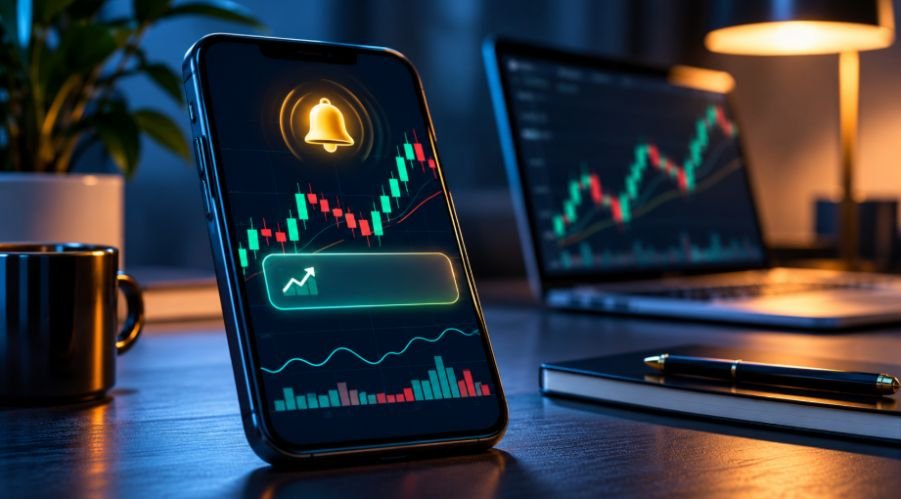
Creating too many notifications defeats their purpose. I limit alerts to meaningful levels and remove outdated conditions whenever market structure changes.
I also avoid treating a notification as an automatic trading signal. Before entering a position, I examine price action, spreads, volatility, stop-loss placement, and overall risk.
Keeping a record of triggered alerts, market conditions, and trading decisions can help identify recurring mistakes and improve consistency, which is why I also recommend learning how to keep a trading journal.
During the New York trading session, particularly around major economic announcements, prices can move quickly. Notification delays or connection problems may cause traders to miss their intended entry levels.
A dependable alert system supports decision-making but cannot replace proper risk management.
Frequently Asked Questions
1. How can I use forex price alerts to save time while working full-time?
I prepare important price levels before work and enable mobile notifications. When an alert triggers, I review the opportunity only when my schedule allows. This approach helps prevent constant chart checking during working hours.
2. Can I receive forex alerts without keeping my computer on?
Yes. Cloud-based TradingView alerts can continue functioning without an open computer. Some MetaTrader desktop-generated notifications require the desktop terminal to remain connected.
3. Are forex price alerts useful for beginners?
Yes. Beginners can use alerts to monitor important support, resistance, and breakout levels while developing consistent trading habits.
4. Can forex price alerts prevent overtrading?
They can help reduce unnecessary monitoring and impulsive decisions by directing attention toward predetermined setups. However, maintaining trading discipline still requires clear entry rules and risk limits.
Final Thoughts
I believe successful trading routines should prioritize preparation, patience, and disciplined decision-making rather than endless chart monitoring. Automated notifications help me identify important price movements without allowing market fluctuations to dominate my schedule.
By combining support and resistance alerts, technical indicators, economic calendar reminders, and mobile notifications, I can maintain a more organized trading workflow.
The ultimate goal is not to generate more signals or take more trades. It is to spend less time watching irrelevant market movements and more time evaluating opportunities that genuinely match my strategy.