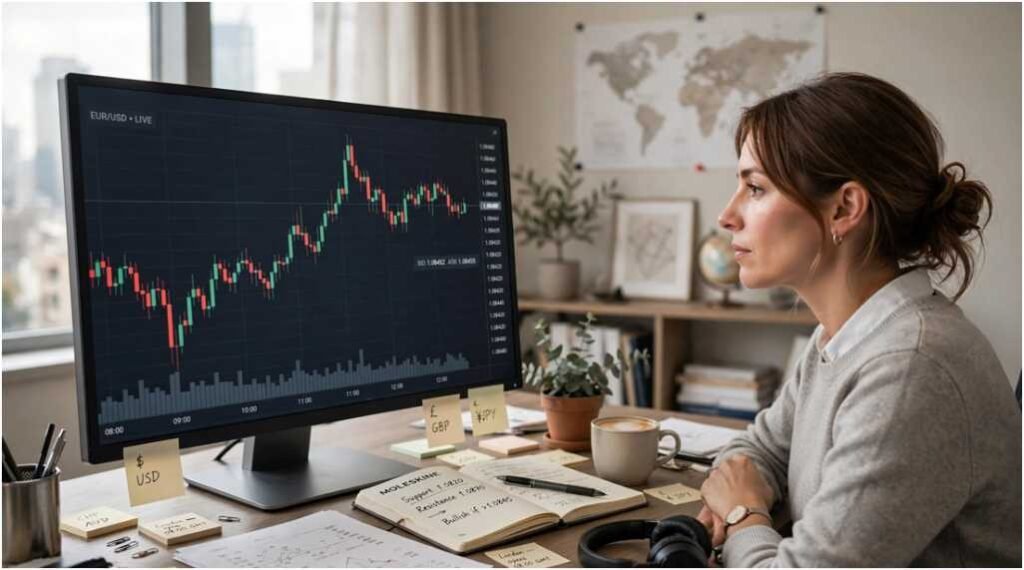

Learning how to manage forex trading notifications on your phone can help you monitor important market movements without constantly interrupting your day. Whether you’re tracking EUR/USD, monitoring open positions, or watching Federal Reserve announcements, poorly configured alerts can create unnecessary stress and encourage impulsive trading.
I’ve found that effective mobile trading isn’t about receiving every market update. It’s about separating meaningful trading signals from background noise. By customizing notifications, prioritizing alerts, and establishing digital boundaries, you can stay informed without becoming overwhelmed by constant interruptions.
Why Should You Filter Forex Trading Notifications?
The forex market operates nearly 24 hours a day during the trading week. However, not every price movement deserves your attention.
Frequent notifications from brokers, trading communities, and market news applications can create decision fatigue and encourage overtrading.
A better approach separates execution-related alerts from routine information.
Price alerts around important technical levels, order execution confirmations, and relevant account warnings deserve greater attention than broker promotions or community discussions.
Choosing an appropriate position size is equally important when responding to price alerts, as the difference between standard, mini, and micro lots in forex determines how much each pip movement affects a trader’s account balance.
For US traders monitoring the New York session, this filtering becomes particularly useful during periods of increased market volatility.
How Do You Configure Forex Notifications on Android and iPhone?
Your smartphone’s notification settings determine which alerts reach you and how they appear.
How to Enable Important Forex Alerts on Android
Open Settings, navigate to Apps or Notifications, and select your trading application.
Enable notifications and review available notification categories. Where supported, keep trading and account alerts enabled while disabling promotional messages.
Check background data permissions and battery optimization settings because aggressive power-saving restrictions can delay push notifications.
How to Customize Forex Alerts on iPhone

Open Settings, select Notifications, and choose your trading application.
Enable Allow Notifications and configure Lock Screen alerts, banners, and sounds.
Review Focus settings and Scheduled Summary to ensure important trading updates aren’t unintentionally silenced.
Remember that notification controls vary between applications and operating system versions.
How Can You Separate Important Trading Alerts From Unnecessary Noise?
The most effective notification strategy begins with prioritizing information.
Disable broker marketing messages, daily market summaries, unnecessary price percentage updates, and promotional notifications whenever your application supports these options.
Mute Telegram trading groups, TradingView community discussions, and other social notifications that don’t directly support your strategy.
Keep essential order execution confirmations, predefined price alerts, and relevant account warnings enabled.
For economic calendar applications, prioritize high-impact announcements such as US Consumer Price Index reports, employment data, and Federal Reserve decisions.
Traders holding positions overnight should also understand how swap rates in forex trading affect the cost or potential credit associated with keeping those positions open.
Consider setting reminders approximately 10 minutes before important releases so you can review market conditions without constantly checking the calendar.
Lower-priority economic updates can appear silently in Notification Center rather than interrupting your activity.
How Do You Set Up High-Priority Alerts in TradingView and MetaTrader?
How to Customize TradingView Mobile Price Alerts
Open TradingView, choose your currency pair, and create an alert around a meaningful price level or technical condition.
Enable the mobile notification delivery option and customize the alert frequency, expiration, and message.
For example, you might create an EUR/USD notification when the market approaches a resistance level identified in your trading plan.
Understanding what a pip is in forex trading also helps traders set more precise price-alert thresholds and measure how far a currency pair has moved from a planned entry or key market level
Where available, use notification scheduling to limit alerts to your preferred trading hours.
How to Receive MetaTrader MT4 and MT5 Push Notifications
MetaTrader desktop terminals can send push notifications to supported mobile applications using a MetaQuotes ID.
Find your ID in the mobile app, enter it into the desktop terminal’s notification settings, and send a test message.
Desktop-generated alerts generally require the terminal to remain active and connected. Broker-generated trade notifications may operate differently.
How Can You Make Forex Notifications Easier to Recognize?

Generic alerts often provide insufficient information.
Instead of naming an alert “EURUSD 1.0850,” use a descriptive message such as “EURUSD 1.0850 – CHECK 4H REJECTION.”
Another example might read “GBPUSD 1.2500 – REVIEW STOP-LOSS LEVEL.”
A consistent format can include the currency pair, price level, trigger condition, and intended review action.
If your phone and application support custom notification sounds, assign a recognizable tone to important trading alerts.
Android notification categories may offer separate sound and urgency controls. On iPhone, Critical Alerts require specific application support and cannot simply be enabled for every trading app.
Use special interruption permissions selectively rather than treating every price movement as urgent.
Can You Use SMS Backups for Forex Price Alerts?
Some traders prefer an additional notification channel when mobile data connectivity becomes unreliable.
TradingView supports webhook alerts that can connect to compatible automation services, such as Zapier, and an SMS provider.
A configured workflow can forward selected trading alerts as text messages.
However, webhook automation may require paid services, technical configuration, and security precautions. SMS delivery can also experience delays.
Never include passwords, account credentials, or sensitive trading information in webhook messages.
Treat alternative notification channels as supplementary tools rather than guaranteed delivery systems.
How Do You Stop Forex Notifications During Personal Time?
Maintaining boundaries is essential for traders balancing market activities with employment, family responsibilities, or a side hustle.
Create a dedicated Trading Focus mode that allows selected trading applications during your scheduled trading hours.
Outside those hours, use a personal or sleep Focus mode to silence nonessential market notifications.
Also configure alert expiration dates to prevent outdated trading setups from triggering unnecessary messages overnight.
If your strategy focuses on the New York session, schedule market notifications around that period rather than monitoring every international session.
Before disconnecting, review open positions, protective orders, and any account warnings that genuinely require attention.
Why Are Forex Push Notifications Delayed or Missing?

If trading alerts stop appearing, check your phone’s notification permissions, internet connectivity, and battery settings.
On Android, background restrictions may interfere with timely delivery. On iPhone, Focus modes and notification summaries can affect when alerts appear.
Verify that TradingView alerts remain active and that MetaTrader desktop notification settings are configured correctly.
Test a sample notification before relying on alerts during live trading.
Most importantly, remember that delayed push notifications can occur even with properly configured applications. Use broker-side protective orders rather than depending on phone alerts to limit potential trading losses.
Frequently Asked Questions
1. How Do I Manage Forex Trading Notifications on My Phone?
The best way to approach how to manage forex trading notifications on your phone is to enable essential trading alerts, disable promotional updates, customize price notifications, and establish a consistent notification schedule.
2. Can Forex Alerts Bypass Do Not Disturb?
Some Android devices support notification exceptions, while iPhone Critical Alerts require compatible application support. Ordinary trading notifications cannot automatically bypass every Focus or Do Not Disturb setting.
3. Should I Turn Off Forex Notifications at Night?
Silencing nonessential market alerts can protect your sleep and prevent unnecessary interruptions. However, review open-position risks and critical account notification needs before activating quiet hours.
4. How Can I Reduce Repeated Forex Price Alerts?
Adjust alert frequency, remove duplicate alerts, monitor fewer currency pairs, and set expiration dates for temporary trading setups.
Final Thoughts
I’ve learned that a well-organized notification system can make trading more manageable without demanding constant attention.
Understanding how to manage forex trading notifications on your phone allows you to prioritize meaningful signals, reduce emotional distractions, and maintain healthier boundaries between trading and personal life.
By combining targeted price alerts, customized notification settings, economic calendar reminders, and reliable risk management, you can stay connected to important market developments without allowing every notification to control your decisions.