
When I sit down for a practice session, I want to answer one question: can I follow my trading rules when I don’t know what the next candle will do? If you’re learning how to use a forex simulator to practice trading, start with one currency pair, one written setup, and one unfamiliar stretch of market data. Place a virtual order only if your setup appears, then record what you did and why. Here’s how I’d run that first session from setup to review.
What Is a Forex Simulator?
A forex simulator lets you rehearse currency trades with virtual funds. Depending on the platform, you can replay historical prices, place practice orders against current quotes, or do both. Choose the mode that matches the skill you want to practice.
Historical Replay for Reading Setups
Historical replay reveals past price movements one candle at a time. You choose a starting point, hide the candles that follow, and decide what to do with the information visible at that moment. It’s useful for practicing the same setup across different sessions and comparing your decisions in quiet, trending, and choppy markets.
A Forex Demo Account for Practicing Orders
A demo account lets you practice with virtual funds as current quotes update. Use it to get comfortable with the order ticket, check order size, modify a stop, cancel a pending order, or close a position. If your platform displays a replay chart alongside a separate demo order panel, check which mode receives the order. A historical chart can be on screen while the regular demo ticket still uses current quotes.
Set Up and Place Your First Simulated Forex Trade
Choose One Pair, Timeframe, and Rule
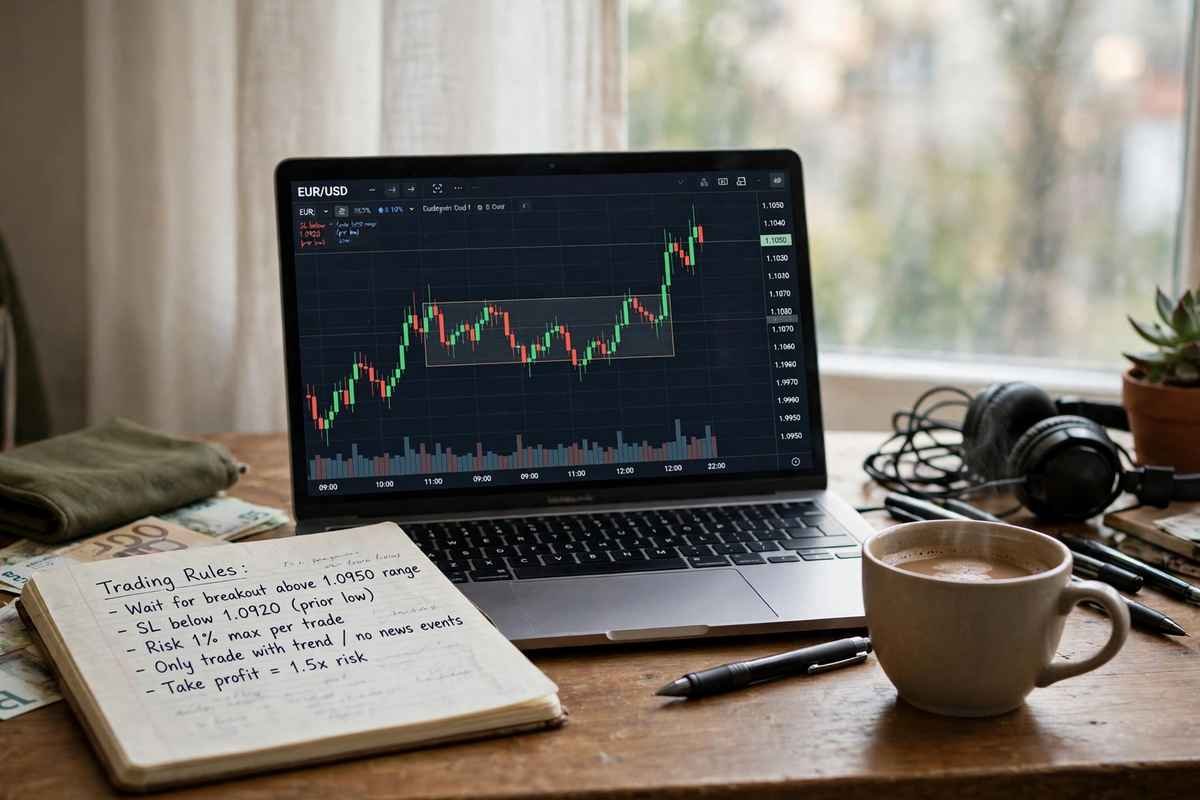
Open EUR/USD on a 15-minute chart and select a historical session you haven’t studied. Set a realistic virtual balance and use the same practice risk budget throughout the exercise. Before pressing play, write down what must happen before entry, where the trade idea becomes invalid, and where you’ll exit if the trade goes your way.
For this exercise, use a simple rule: wait for a candle to close above a marked range, then look for a pullback that holds above the breakout level. If the pullback fails or never happens, record a skipped setup. Waiting is part of the practice.
Replay the Chart and Place a Virtual Order
Suppose the top of the range is 1.0850 and a candle closes above it. The pullback holds, and your rules allow a simulated entry at 1.0855. You set a practice stop at 1.0845 and a target at 1.0870. That gives you a planned stop distance of 10 pips and a target distance of 15 pips before trading costs.
Check the position size, submit the virtual order, and compare the planned entry with the simulated fill. Advance the chart one candle at a time. Keep the original stop and target unless your written rules specify when to change them.
A useful part of learning how to use a forex simulator to practice trading is reviewing what was visible when you made the decision. Take a screenshot before revealing the next candle. If the simulator keeps results only while the session is open, save the screenshot and copy the order details into your journal before closing it.
Review Your Practice Session

Record the Decision Alongside the Result
A sample journal entry could read: “EUR/USD, 15-minute replay. The breakout and pullback met my entry rule. Planned entry 1.0855, simulated fill 1.0856, stop 1.0845, target 1.0870. The stop was reached. I followed the setup but missed that the simulated fill increased my stop distance from 10 to 11 pips. Before I connect a forex broker to a trading platform, I’ll practice recalculating the stop distance from the fill price.
That one-pip difference increased the distance from the simulated fill to the stop from 10 to 11 pips. The journal gives you a specific detail to check in the next session, even when the entry itself followed your rules. Log valid signals you skipped and any orders you entered early, too. Over several sessions, those notes can reveal mistakes that a win rate alone would miss.
Check the Simulator’s Assumptions
Find out whether the tool models variable spreads, commissions, slippage, and overnight financing where relevant. Check the historical data available for your pair and timeframe. If both your stop and target fall within the same candle, finer-grained data or the simulator’s fill rules may determine which order it records first.
Once you’ve logged several sessions, review how often you followed your rules and look at measures such as drawdown and average result per trade. Keep your rules steady across a range of conditions before deciding what to change. Simulated results can help you evaluate a practice routine. Live fills, costs, and decisions under financial pressure can differ.
Frequently Asked Questions
1. How Can Beginners Practice Forex Without Buying Software?
If you’re wondering how to use a forex simulator to practice trading for free, start with a demo account or a simulator with a free replay tier. Check whether it supports your currency pair, timeframe, and simulated order entry. Some tools limit intraday history or the number of sessions you can save.
2. How Many Trades Should I Practice Before Reviewing My Results?
Review each session while your decisions are still fresh. For a broader review, decide in advance how many valid setups you’ll log and include sessions with different market conditions. A few trades can expose order-entry mistakes. Evaluating a strategy takes a broader sample.
3. Can Forex Simulator Results Predict Live Trading Performance?
Simulation shows how a set of rules performed under the tool’s data and fill assumptions. Live execution can involve different spreads, delays, and slippage. Use the results to identify what needs more testing and which rules you can apply consistently.
What I’d Do in the Next Session
When I think about how to use a forex simulator to practice trading, I come back to a simple routine: write the rule, hide the next candle, and document the decision. I’d start the next session with the same EUR/USD setup on a different date.
Then I’d revisit one detail from the journal, such as whether I checked my simulated fill against the planned entry before recording the trade. That gives me something specific to improve the next time I open the simulator.