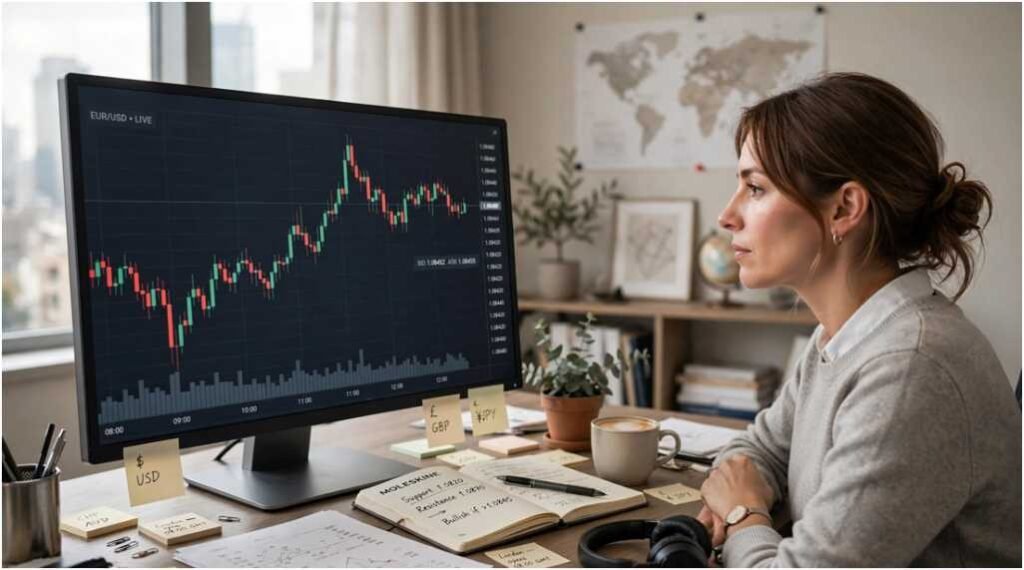

When I explain how a vps works for forex trading, I start with a simple question. What needs to keep running after you shut your laptop? If you trade manually and your broker already holds your orders, you may have little reason to pay for hosting. If an automated strategy needs to watch prices while you sleep, keeping the trading platform online matters.
A forex virtual private server, or VPS, is a remote computer that can run your trading platform independently of your home PC. It keeps software such as MetaTrader and its Expert Advisors running as long as the remote terminal stays online and connected to your broker.
What Happens When a Forex VPS Sends an Order?
Think of the setup as two separate connections. Your laptop connects to the VPS when you want to configure or monitor it. The trading terminal on the VPS maintains its own connection to your broker’s trade server.
Suppose an Expert Advisor, or EA, watches EUR/USD for a condition you programmed. The broker sends price updates to the remote terminal. When the condition is met, the EA instructs the terminal to submit an order request. The broker processes that request and returns its status. Your laptop can be off throughout the sequence.
Understanding how forex trading platforms execute orders also helps explain what happens after an EA sends an order request, including how the broker processes the instruction, handles execution, and reports the final trade status.
Traders running automated strategies on a VPS can also automate position sizing in forex to calculate trade quantities based on account equity, risk percentage, and stop-loss distance before submitting orders.
That order path is central to understanding how a vps works for forex trading. Hosting keeps the software available to evaluate prices and send requests. The broker still determines how those requests are handled under its execution rules and prevailing market conditions.
What Keeps Working When a Device Goes Offline?

If your laptop shuts down or loses internet
Your remote trading terminal can continue receiving quotes and running its EA while the VPS and its broker connection stay online. With a conventional Windows VPS, closing the Remote Desktop window usually disconnects your viewing session and leaves the remote programs running. Signing out of Windows can close those programs.
If the VPS or trading terminal goes offline
The EA stops evaluating new price updates. Alerts that depend on the terminal can also stop. In MetaTrader, a platform-managed trailing stop stops moving while the terminal is offline, but the last stop-loss level successfully placed with the broker remains active. Pending orders and take-profit instructions already accepted by the broker generally remain subject to their existing terms.
For example, if an EA planned to move a stop after the next price update, the move cannot happen while the terminal is offline. Check the broker’s recorded order level to see which instruction is currently active.
Windows VPS vs. MetaTrader Virtual Hosting
A Windows VPS gives you a remote desktop
You connect through Remote Desktop, install your broker’s compatible trading terminal, and configure the EA and charts. This setup can suit traders who need multiple terminals or supporting software. Check that the plan has enough memory and processing power for everything you intend to run at once. Also verify whether the terminal relaunches after a restart.
MetaTrader virtual hosting runs your trading environment
With integrated MT5 virtual hosting, you migrate the configured trading environment from MetaTrader to the hosted platform. After migration, review the virtual platform journal and EA logs to confirm that the intended charts and tools are running. Automated trading is enabled on the hosted platform, so check which EAs you’re migrating and avoid running duplicate copies on the same account.
Does a Forex VPS Reduce Slippage?

A VPS with a good network route to your broker can reduce the delay between the trading terminal and the broker’s trade server. To evaluate it, compare the terminal-to-broker latency from your home setup and the proposed VPS using the same broker server. The speed of the Remote Desktop session measures a different connection.
Lower network latency can help an order request arrive sooner. Slippage can still occur when prices move before the order is filled. Available liquidity, spreads, and the broker’s execution process can also affect the result. A ping reading tells you about network delay. It cannot predict your fill price.
Price differences between trading platforms can also affect how traders interpret execution results, so learning to understand how forex price feeds work helps explain why currency quotes, spreads, and displayed prices may vary across providers.
How to Test Your Forex VPS on a Demo Account
Start by installing the trading terminal on a Windows VPS or migrating your configured environment to MetaTrader virtual hosting. Connect to a demo account, load the intended EA and chart settings, and check the logs for startup or connection errors.
Next, disconnect Remote Desktop and turn off your local computer. During an active market session, reconnect later and review the timestamps in the remote journal. Look for activity recorded while your computer was off. If the EA had no reason to place an order, check its logs for other signs it was running.
Finally, test recovery on the demo setup. Restart the remote terminal, then confirm that the account reconnects, the EA loads with the intended settings, and only one copy is active. When comparing paid or broker-sponsored hosting, check the renewal terms, uptime policy, and any eligibility requirements before committing.
Frequently Asked Questions
1. Why does understanding how a vps works for forex trading matter for manual traders?
It helps you identify whether any part of your setup needs to run while you’re away. If you place trades manually and rely on orders already accepted by your broker, a VPS may offer little benefit. Terminal-based alerts or trailing stops can make hosting more relevant.
2. Can I turn off my computer while MT4 or MT5 runs on a VPS?
Yes. Once the remote terminal is configured and connected to your broker, you can turn off your local computer. The VPS must remain online and the terminal must keep running.
3. Can I run multiple trading accounts on one VPS?
A Windows VPS can support multiple terminal installations if it has adequate resources and your setup supports them. Label each terminal by account and verify its EA settings individually on demo.
Decide What Needs to Stay Online
For me, how a vps works for forex trading comes down to one practical decision. If my strategy needs the terminal to monitor prices or manage trades while I’m away, I’d test hosting on a demo account first. I’d check the connection to the broker, read the logs after disconnecting, and verify recovery after a restart. If all I need is for an order already held by the broker to stay active, I’d check its terms before paying for a server.